
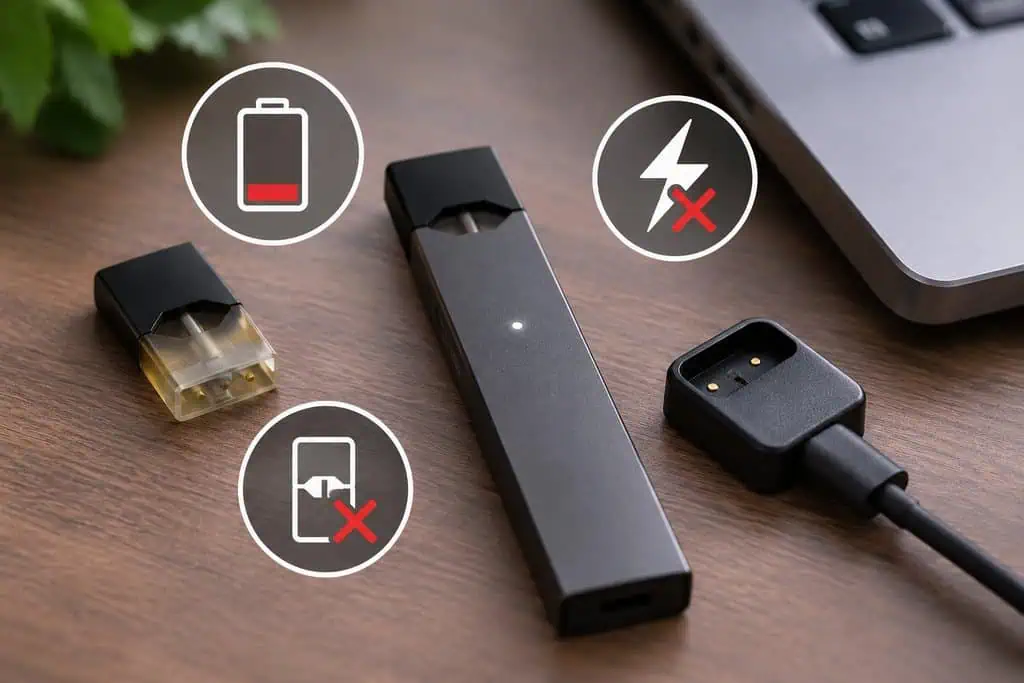
A JUUL that suddenly refuses to charge or produces no vapor is frustrating, mostly because the device has no buttons or settings to fiddle with. The good news is that most problems come down to one of three things: a charging connection that is not making contact, a pod that needs a little attention, or a battery that is simply getting old. Before you assume the device is dead, work through the checks below, and keep a spare JUUL USB Replacement Charger in mind, since the charger is often the weak link and the cheapest thing to swap. These products contain nicotine, which is addictive, and are for adults aged 21 and over.
Why Won’t My JUUL Charge, and What Should I Check First?
Start with the basics. The JUUL charges through a magnetic USB dock, so make sure the charger is firmly plugged into a working USB port, whether that is a laptop, a computer or a wall adapter, and that the device is sitting properly against the magnets. If you have another port or adapter handy, try it, because a faulty port is one of the most common culprits. Next, look at the metal contacts on both the device and the charger. Over time, small amounts of residue can build up and block the connection, and cleaning them gently with a dry cotton swab, or one only slightly dampened, often brings a stubborn device back to life. Let everything dry fully before reconnecting. According to the shop’s product page, a full charge takes about an hour, so give it a reasonable amount of time before deciding it is not working. It is also worth knowing that customers often report new devices arriving without a full charge, so always charge a new device before the first use.
What Do the Battery Lights Mean?
The Juul Basic Kit has a simple battery indicator: green means the device is fully ready, yellow means you will need to recharge soon, and red means the battery is low and needs a charge. That makes the first diagnostic step easy. If you see red and the device does nothing, charge it for a while and try again. Other light patterns, such as repeated flashing, can point to an issue with the pod or the connection rather than the battery itself, and the exact meaning varies between JUUL models. For that reason, if you see a light pattern you do not recognize, the safest approach is to remove the pod, wipe the contacts, reinsert it and try again, then check JUUL’s own support guide for your specific model if the problem persists.
Why Is My JUUL Pod Not Producing Vapor or Tasting Burnt?
When the battery is fine but the device is not delivering vapor, the pod is the next suspect. First, make sure the pod is not simply empty. Each pod holds about 0.7mL of e-liquid, which the shop lists at roughly 200 puffs, so a pod that has done its job may just have run out. If it should still have liquid, wipe the metal connection points on both the pod and the device with a dry cotton swab, then reseat the pod firmly. Air bubbles inside the pod can also stop the wick from saturating, and gently tapping the pod on a hard surface with the mouthpiece facing up can release them. Take a couple of gentle, short puffs afterward instead of a big pull, since hard draws can make a poorly saturated wick taste burnt. If a different pod works in the same device, the original pod was the problem. If none of them work, the device is more likely at fault.
Leaking is another common complaint. Wipe any moisture from the contacts, reattach the pod, and puff gently, because hard draws can pull liquid up into the mouthpiece. Seat the mouthpiece lightly instead of pressing hard, and avoid squeezing the pod. Using only genuine JUUL pods also helps, because off-brand options tend to perform inconsistently in a device built around
JUUL’s own design.
How Long Does a JUUL Battery Last, and When Should You Replace Something?
No battery lasts forever. With regular use and frequent charging, a small built-in battery gradually holds less charge, so after a year or more you may notice shorter runtimes and more frequent top-ups. That is normal wear, not a defect. A sensible order of operations is to replace the cheapest part first. If your device charges unreliably, a new charger costs far less than a new device, so swap the charger and test again before you give up. If the device still will not hold a charge after you have cleaned the contacts, tried a different port and a new charger, then it is likely time for a new device. The Juul Basic Kit also comes with a one-year limited warranty, which is worth keeping in mind if you notice a problem early. Note that it does not include pods, so you will need to pick up a pack separately.
Quick Fixes People Search For
Can I vape while my JUUL is charging? No. The device cannot be used while it charges, so plan a break and give it time on the dock.
How long should it take to charge? The shop lists about an hour for a full charge.
My JUUL arrived dead. Is it broken? Not necessarily. New devices often ship without a full charge, so charge it fully first.
Can I use other brands of pods? The device is designed for JUUL pods, and sticking with genuine ones is the best way to get reliable performance.
Why does my pod taste burnt? Common causes are an empty pod, air bubbles that stop the wick from saturating, or dirty contacts, and the fixes above address all three.
When to Replace Instead of Repair
Most JUUL problems can be solved in a few minutes with a clean cotton swab, a different USB port or a spare charger. When none of that helps, and the device still refuses to hold a charge or fire, replacement makes more sense than another round of troubleshooting. If you are starting fresh, the JUUL Basic Kit gives you a slim, pocket-sized device with a USB charger and a one-year limited warranty, and it works with all JUUL pods. You can find matching pods, chargers and kits in the JUUL collection at Apvapeshop.